
Blog

How to Keep Up with a Growing Client Base Without Losing Control
Your business is growing. You’ve got more inquiries, more clients, more follow-ups. That should feel like a win, but if you’re being honest, it probably feels more like chaos. Messages are slipping through the cracks, response times are slowing, and you’re starting to wonder how long you can keep this up before something breaks.
The problem isn’t that you are doing something wrong. The problem is that the system you used to manage 10 leads per month does not scale to 50. Growth exposes the gaps. A CRM can help you close them, but only if you know what to fix first.
Your response time is the first thing to slip
When leads come in from multiple places,it is easy to lose track. You might see the notification, plan to follow up later, and then forget entirely because three other things came up.
Speed matters more than you think. According to our lead nurturing research, responding within the first hour increases the likelihood of qualifying a lead. After that, the odds drop fast. If your current process relies on you remembering to follow up, you are already losing opportunities.
A CRM fixes this by putting all your conversations in one place. It pulls in messages from web chat, Facebook Messenger, Google Business Profile, phone calls, and email, so you can see everything in a single inbox. That means no more checking five apps to make sure you didn’t miss anyone. You can also set up missed-call text-back, so even when you are tied up, leads receive an immediate response.
You need one shared view of where every lead stands
If someone asks you right now how many active opportunities you have, can you answer without digging through emails and notes? If not, you need a pipeline.
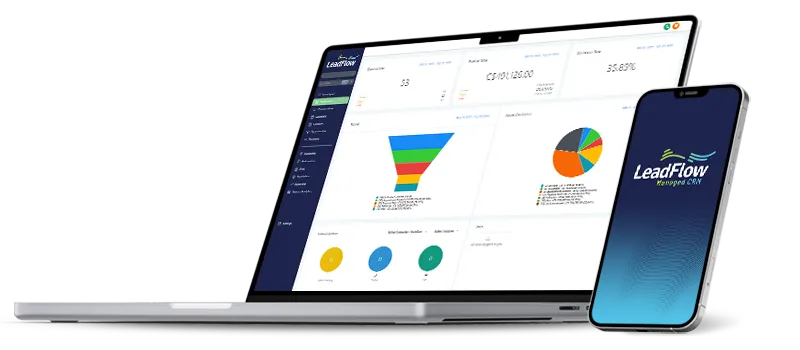
A pipeline is a visual tool for tracking where each lead is in your sales process. You have the flexibility to create custom pipelines with stages that match how you actually sell:
New inquiry
Contacted
Appointment booked
Quote sent
Won
Not a fit
Once you have leads organized by stage, you can assign each lead to a team member and set tasks so nothing floats around unowned. That is the difference between "I think someone is handling it" and "I know exactly who is handling it and what happens next."
Scheduling should not take 10 emails
If you are still going back and forth trying to find a time that works, you are wasting hours every week. Your leads are too.
You need a booking system that lets potential customers pick a time directly from your calendar. It should integrate with Google Calendar and Outlook, handle multiple team members, and send automatic confirmations and reminders. That reduces no-shows and eliminates scheduling ping-pong.
More importantly, it gives you control. You decide which times are available, how much buffer you need between appointments, and whether meetings are in person, by phone, or on Zoom.
Follow-ups should not depend on your memory
You know you should follow up. The problem is remembering when, especially if you’re juggling 20 other leads at different stages.
Easyleads recommends a structured follow-up cadence: more frequent touchpoints in the first few days, consistent outreach over the next few weeks, and monthly nurturing for leads that are not ready yet. A CRM makes that possible by triggering reminders, tracking who responded, and automating parts of the sequence so you can focus on the conversations that matter.
You can also use templates to speed up your outreach without sounding robotic. This makes sure every lead gets the attention they deserve, even when you’re busy.
Not every contact should get the same message
As your database grows, you need to start segmenting. Sending the same email to a brand-new lead and a client you have worked with for two years is a mistake. It confuses people and wastes opportunities.
A good CRM allows you to create smart lists based on tags, filters, and custom fields. That means you can send targeted campaigns to specific groups:
New leads who haven’t booked yet
Booked appointments (reminders and prep info)
Active clients (updates and upsells)
Past clients (re-engagement and referrals)
Unresponsive leads (long-term nurture)
Interest based on service or product
The CRM system should also include email verification to reduce bounce rates and compliance tools for CASL and CAN-SPAM, so you stay on the right side of emailing rules while keeping your list clean.
You are not losing leads because you’re bad at sales. You’re losing them because your process was not built for this much volume. A CRM helps you centralize communication, track every opportunity, automate follow-up, and measure what is working, so you can keep the client experience consistent even as demand increases.
If you want to see what that looks like for your business, we offer a free discovery call to map out the tools and workflows that fit your actual sales process.
Book your discovery call today.


Copyright Easyleads CRM 2023 - Privacy Policy - All Rights Reserved